 HeyWakeup
Keep your Mac awake when you're away
Long tasks, downloads, running as a server, staying reachable remotely, or playing music with the lid closed — it's got your back.
macOS 12+ · Intel + Apple Silicon · No Accessibility permission, no admin password
When it sleeps, everything stops
- Downloads and builds stop, AI agents stop, and backups stall
- Remote connections drop — you're not there to wake it up
- Backups stop halfway through
- Music stops the moment you close the lid — you can't use the MacBook as a lid-closed player
The built-in Energy Saver can keep your Mac awake forever, but it cannot keep it awake with the lid closed, and it can't switch per scenario.
Three modes
| Mode | What it does | Best for |
|---|---|---|
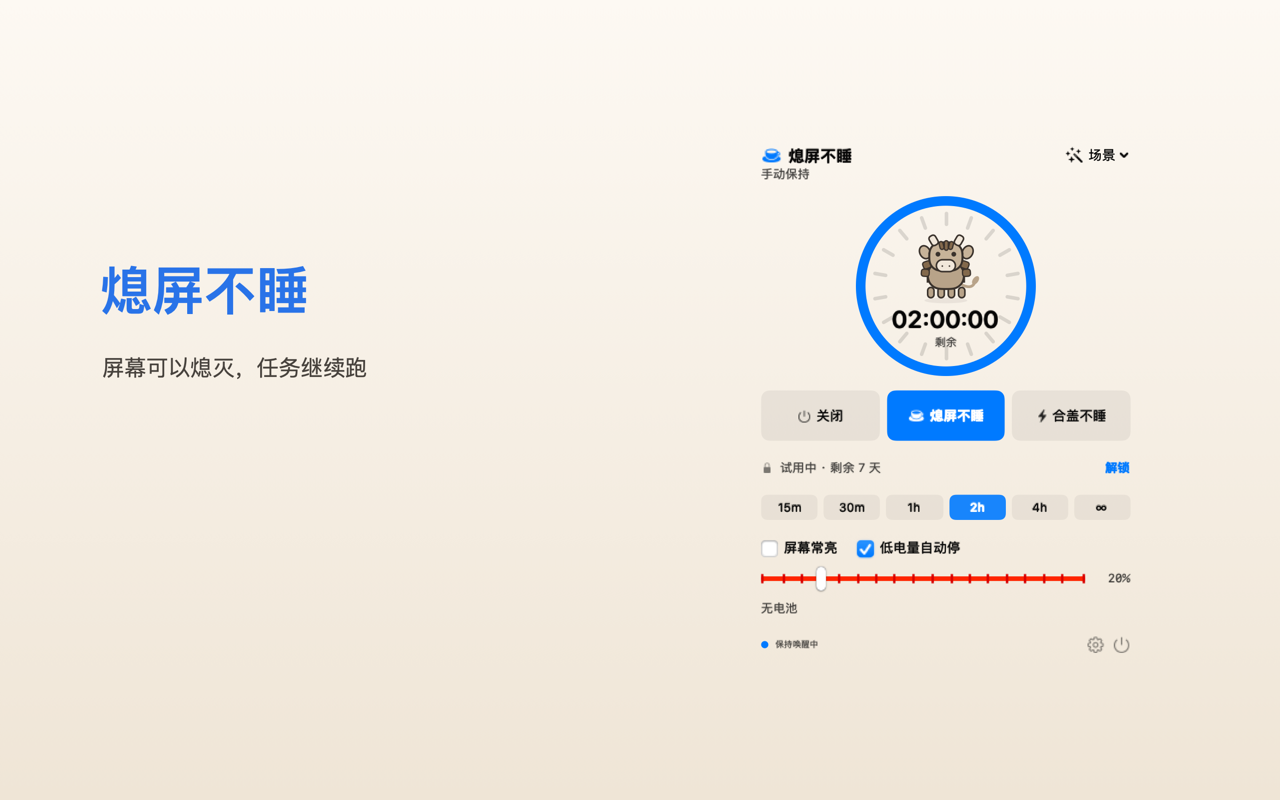
| Prevent Sleep | The screen may turn off; the system stays awake | Downloads, builds, backups — the most power-efficient default |
| Awake When Closed | Stays awake even with the lid closed | Running in a bag, as a server or a player |
| Off | Normal sleep | Done for the day |
Display off ≠ sleep: with the screen off the CPU keeps running; only system sleep freezes processes. In most cases, Prevent Sleep is all you need.
Key scenarios
Music keeps playing with the lid closed
By default closing the lid sleeps the Mac and stops the music; Music mode keeps it playing and restores normal sleep when playback stops or the timer ends.
Lid-closed agents & long tasks
Stay awake while a chosen process (claude, codex, cargo…) is running, and let go when it finishes.
Lid-closed server
Use the MacBook as a download or media server with the lid shut, with low-battery and thermal safety nets.
Always reachable remotely
Stays awake while your remote-control app is running, and releases the moment it quits.
Key features
Timed sessions
15 min – unlimited, ends automatically
Scenes
Demo · Download · Agent · Meeting · Music · Remote · Closed-Lid Server
9 triggers
App running / specific process / high CPU / network activity / audio playing / remote control / AC power / battery / schedule
Safety nets
Stop on low battery, thermal protection, and normal sleep restored on quit or crash
Statistics
Awake time today / this week, by mode (local only, no telemetry)
Global shortcut
⌃⌥⌘K toggles Prevent Sleep
Menu bar only
No Dock icon; state at a glance
Start free; unlock lid-closed mode and automation with Pro
Prevent Sleep, timers, low-battery protection, scenes and the global shortcut are free; Awake When Closed and all triggers are Pro.
See pricingFAQ
Does lid-closed mode drain the battery or run hot?
It can. That's why there's a clear warning, Stop on low battery is on by default, and we recommend plugging in. If the system forces sleep due to overheating, no app can prevent it.
Music stops when I close the lid?
Use Music mode: lid-closed awake + auto start/stop on audio + a timer. The MacBook keeps playing with the lid closed (great with external speakers).
Why is lid-closed mode a separate setting?
macOS treats “idle sleep” and “lid-closed sleep” as two different things; ordinary apps can only block the former.
Does it upload my data?
No. Everything stays on your Mac, and the app itself uploads no data. (In the Mac App Store version, in-app purchase transactions are handled by the system's StoreKit and Apple.)
Do I need to authorize anything?
No. Awake When Closed needs no password or permission, and the state is released when you quit.
Download HeyWakeup
macOS 12+, universal binary. If Gatekeeper blocks the first launch, allow it in System Settings › Privacy & Security.